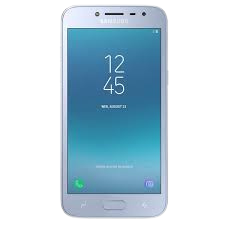
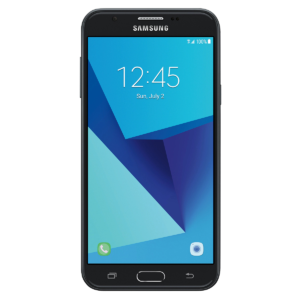
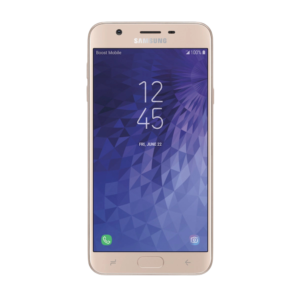
Service that remotely unlocks your cellular device to give you the freedom to use the carrier of your choice. It’s a seamless process that we have mastered over the years in business and have great success providing this service. Once the carrier unlocks and release is completed it will allow the cellular device to work on other carriers that match with the device’s specifications.
Please remember this is a carrier unlocking service for it to work properly you must have a Clean IMEI (non-blacklisted), if your IMEI is blacklisted the cellular phone will not get a signal.
What this service does:
THIS SERVICE IS INSTANTLY DONE ONCE WE CONNECT, AT TIMES IF SERVER HAS AN ISSUE IT CAN DELAY UP TO 24 HOURS WHICH IS VERY RARE
THIS IS PERFORMED BY A TECHNICIAN REMOTELY USING OUR NONINVASIVE SOFTWARE WHICH WE WILL PROVIDE YOU A LINK FOR ONCE YOU COME TO LIVE CHAT WITH YOUR ORDER ID
THIS WILL PROVIDE A UNLOCK CODE FOR CODE BASED CARRIERS
THIS WILL UNLOCK WITHOUT CODE ON NON-CODE BASED CARRIERS
What this service doesn’t do:
THIS DOES NOT CHANGE THE IMEI OF DEVICE
THIS DOES NOT REMOVE THE DEVICE FROM NETWORK BLACKLIST
THIS DOES NOT REMOVE LEASE LOCK FROM THE DEVICE
THIS DOES NOT REMOVE MDM LOCK FROM THE DEVICE
THIS WILL NOT REMOVE GOOGLE FRP ACCOUNT OR SAMSUNG ACCOUNT
THE DEVICE WILL NOT WORK ON SPRINT AFTER UNLOCK
THIS DOES NOT GUARANTEE USE ON VERIZON OR OTHER CDMA CARRIERS
JULY 2020 SECURITY PATCH NOTES:
THIS SERVICE IS INSTANT IN MOST CASES BUT CAN REQUIRE ADDITIONAL TIME AND CAN TAKE UP TO 24 HOURS TO COMPLETE
THIS WILL REQUIRE COMBINATION FIRMWARE TO YOUR DEVICE
THIS DOES NOT FLASH COMBINATION FOR YOU
YOU WILL LOSE ALL DATA DURING FLASH
AS OF 7/29/2020, NO WARRANTY IS OFFERED WITH THIS SECURITY PATCH AND NEWER PATCHES.
After Order Instructions: First, we’d like to thank you for placing an order and choosing IMEI Gurus for your needs, here are some instructions on what to do after you’ve placed your order.
PREPARE THE DEVICE FOR SERVICE BY HAVING IT IN HAND
ENABLE USB DEBUGGING
JOIN OUR LIVE CHAT OR BY CLICKING THE LIVE CHAT BUTTON IN THE BOTTOM RIGHT-HAND CORNER
THE LIVE TECHNICIAN WILL ASK YOU FOR THE ORDER ID THAT YOU CAN GET BY OR IN YOUR ACCOUNT HISTORY